

















How to Master AI Prompts: A QA Engineer’s Guide to Unlocking Efficiency
As a Senior QA Analyst, I’ve seen firsthand how incorporating AI tools into our daily workflow can dramatically improve productivity. However, the quality of the output depends entirely on the quality of our input – the prompt.
Think of an AI model not as a magic black box, but as a junior colleague. The clearer and more detailed your instructions are, the better their work will be.
The key to this is knowing how to frame your requests. Here are three strategies to help you write effective AI prompts and elevate your skills.
1. Provide Context
Before you ask for anything, set the stage. Providing context helps the AI understand the environment and the project’s specific needs.
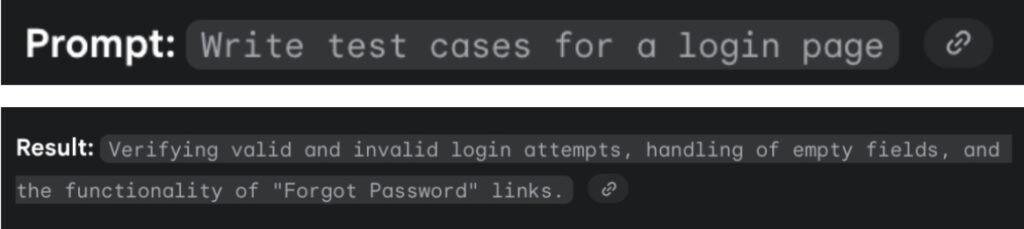
Prompt without Context: “Write test cases for a login page.”
Result: The AI provides a general list of functional tests, such as verifying valid and invalid login attempts and checking empty fields. This is a good start, but it’s not specific.
By adding context, you guide the AI to a more relevant result.
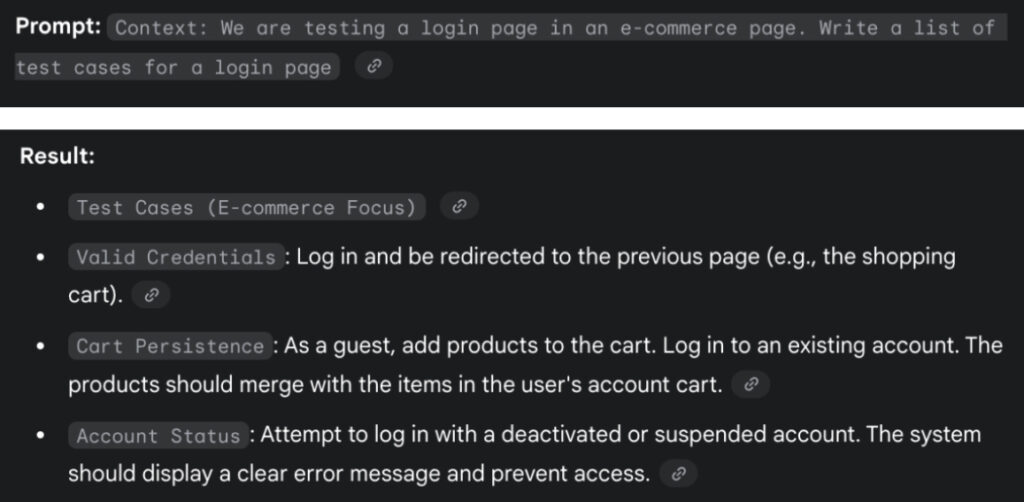
Prompt with Context: “Context: We are testing a login page on an e-commerce page. Write a list of test cases for a login page.”
Result: The AI now understands the environment and provides more targeted test cases, like verifying that a guest’s cart merges with the user’s cart upon login.
2. Define a Clear Role
When you give the AI a specific role, it is especially useful for generating technical content, like test cases for different types of testing.
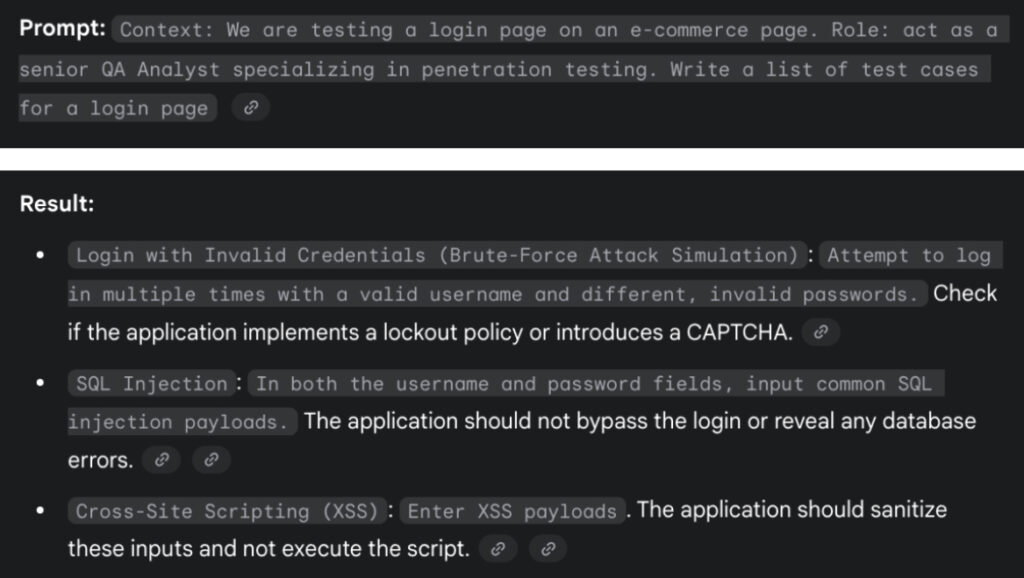
Prompt with Role: “Context: We are testing a login page on an e-commerce page. Role: act as a senior QA Analyst specializing in penetration testing. Write a list of test cases for a login page.”
Result: The AI, now acting as a security specialist, generates a list of test cases focused on vulnerabilities like SQL injection, XSS, and brute-force attacks. This is a significant improvement over the basic functional list.
3. Add Specific Instructions
To get the exact output you need, you must provide clear instructions and specify the desired format. This saves you time on reformatting and ensures the output is ready to use.
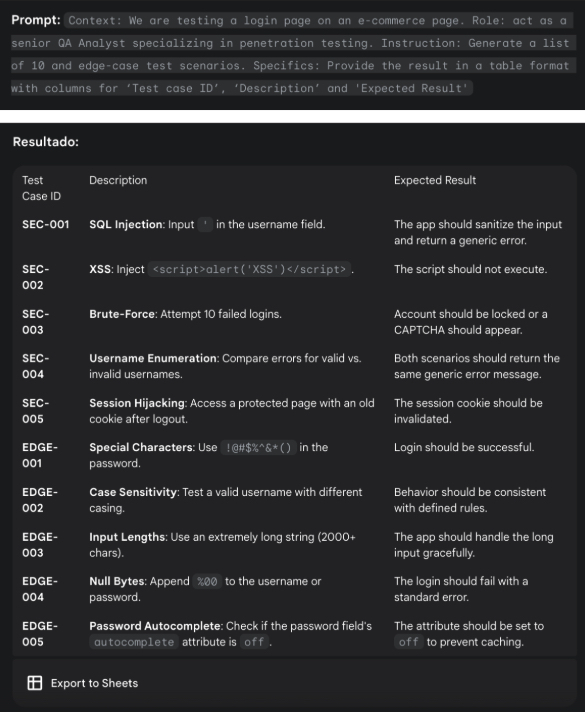
Prompt with Specifics: “Context: We are testing a login page on an e-commerce page.
Role: act as a senior QA Analyst specializing in penetration testing.
Instruction: Generate a list of 10 edge-case test scenarios.
Specifics: Provide the result in a table format with columns for ‘Test case ID’, ‘Description’, and ‘Expected Result’.
Write a list of test cases for a login page.”
Result: The AI provides a perfect, structured table with all the requested columns, including specific test cases for SQL Injection, XSS, and brute-force attacks, along with a detailed expected result for each. And the option to “Export to Sheet”.
Conclusion
Mastering the art of writing effective prompts is a crucial skill for modern QA professionals. By providing context, defining a role, and giving specific instructions, you can elevate your abilities and shift your focus from simply finding bugs to architecting quality. Remember, the future of quality won’t be focused on error detection, but rather mastering the art of the questio