











What Database Changes Are Still Risky
Modern data teams have adopted many software engineering practices:
-
Git for version control
-
CI/CD for pipelines
-
Code reviews for transformations
But database changes often remain outside this workflow.
Schema migrations, ETL validation, or performance experiments frequently require one of three imperfect approaches:
-
Running tests directly against production
-
Creating expensive database clones
-
Using shared development environments with conflicting changes
This creates friction between safe experimentation and production stability.
Lakebase Branching introduces a different model:
Git-style branching directly at the database layer.
What Lakebase Branching Is
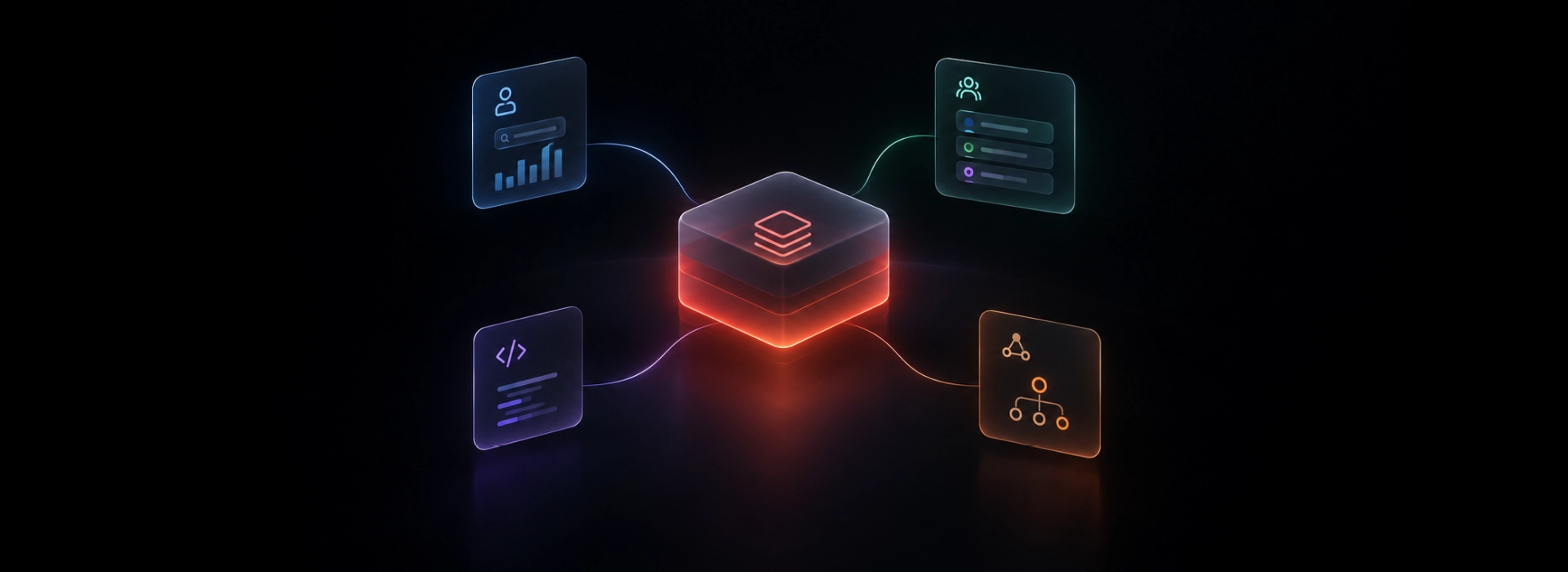
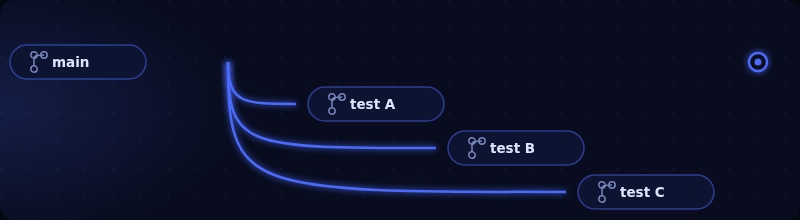
Lakebase branching allows teams to create isolated branches of a database at a specific point in time, similar to how Git creates branches of code.
Each branch acts as an independent environment where engineers can safely:
-
Modify schemas
-
test ETL transformations
-
validate model changes
-
investigate data issues
without impacting the production database.
Instead of duplicating the entire dataset, Lakebase uses a copy-on-write storage strategy. When a branch is created:
-
No data is immediately copied
-
The branch references the same underlying storage
-
Only modified blocks are written separately
This makes branch creation near-instant and storage efficient.
In practice, developers can create branches frequently throughout the development lifecycle without incurring the cost of full database clones.
How the Branching Model Works
Conceptually, the system behaves similarly to Git:
-
A branch starts from a specific snapshot of the database
-
Developers apply changes independently
-
Those changes can later be reviewed and merged
A typical workflow looks like this:
-
Create a branch from the production database
-
Develop changes (schema updates, ETL logic, model builds)
-
Validate results using real production-scale data
-
Review differences between branches
-
Promote or merge the validated changes
-
Delete the branch to free storage resources
This workflow allows data teams to apply the same development patterns they already use for code.
Why This Is Technically Interesting
The value of database branching isn’t just convenience, it changes how data engineering workflows can be structured.
Isolated experimentation
Branches allow engineers to test transformations or schema changes against production-like data without interfering with other workloads.
This removes a long-standing trade-off between realism and safety.
Minimal storage overhead
Traditional approaches often rely on full database clones.
Those can take hours to create and duplicate 100% of storage.
Branching avoids that cost because data is only duplicated when modifications occur.
This makes it feasible to create short-lived branches for everyday development tasks.
Faster feedback loops
Because branches are created in seconds, developers can:
-
validate migrations
-
run ETL pipelines
-
test new transformations
without waiting for environment provisioning.
The result is a workflow closer to modern software development practices.
Where Branching Helps Data Teams the Most
Database branching unlocks several practical engineering workflows.
Schema migration testing
Teams can safely test:
-
ALTER TABLE changes
-
index modifications
-
new columns
before applying them to production.
This reduces the risk of downtime and allows rollbacks if issues appear.
ETL pipeline validation
New pipeline logic can be executed on a branch using real data.
This makes it possible to verify transformations and detect data quality issues before promoting changes.
dbt development workflows
Each developer can work on their own branch and run full dbt builds independently.
This eliminates conflicts caused by shared development databases.
Performance tuning
Branches allow engineers to benchmark:
-
query optimizations
-
indexing strategies
-
partitioning designs
against production-scale datasets without affecting live workloads.
Incident investigation
When debugging data issues, engineers can create a branch to analyze the problem without locking production tables or modifying live data.
Backfill validation
Large backfills can be tested on a branch first.
This allows teams to verify correctness at full scale before committing the operation to production.
Comparison with Traditional Approaches
Historically, teams relied on a few alternatives:
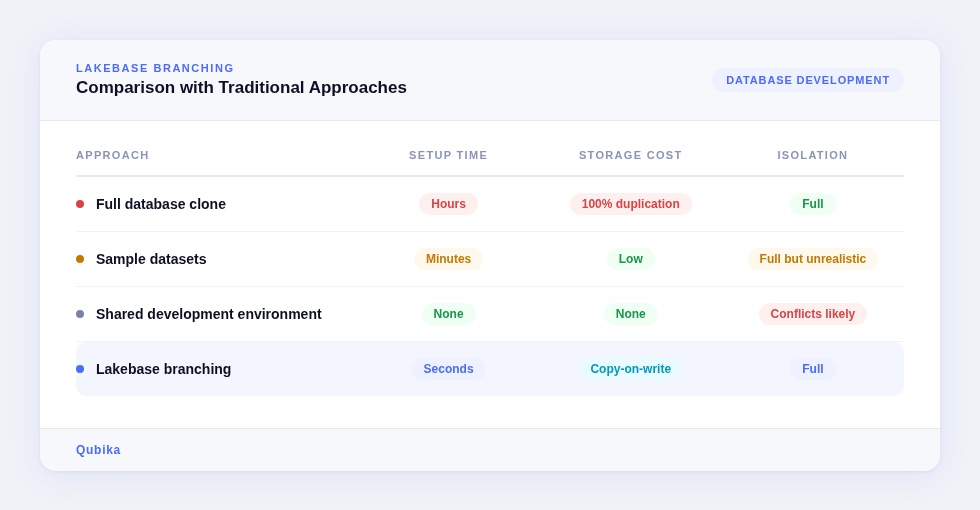
production-like realism with minimal overhead.
Integration with Data Engineering Workflows
Database branching becomes particularly powerful when integrated with existing development practices.
Examples include:
CI/CD pipelines
Branches can be created automatically for pull request validation, allowing integration tests to run against isolated environments.
dbt workflows
Developers can run full model builds on their own branches without interfering with other contributors.
Orchestration systems
Orchestration tools can create ephemeral branches to test DAG changes or validate pipeline behavior.
Data quality frameworks
Validation tools such as Great Expectations or Soda can run checks against a branch before changes are promoted.
Operational Considerations
While branching simplifies development workflows, there are still practical considerations.
Branches represent point-in-time snapshots, so they do not automatically track new changes in the source database.
Storage costs also increase proportionally to the amount of modified data written on each branch.
To manage this effectively, teams typically:
-
use short-lived feature branches
-
automate branch cleanup
-
integrate branching into CI/CD workflows
These practices help prevent unnecessary storage growth and keep environments manageable.
Final Thoughts
Lakebase Branching introduces an important shift in database development.
For years, data engineers have adopted Git workflows for code while databases remained difficult to version and isolate.
Branching brings similar capabilities to the data layer:
-
isolated experimentation
-
production-scale validation
-
safer schema evolution
-
faster development cycles
Instead of treating the database as a fragile shared resource, teams can treat it more like code, something that can be branched, tested, reviewed, and safely promoted.
For data platforms that increasingly follow software engineering practices, that change is significant.
Explore our Databricks services
Qubika is a Databricks Gold Partner with 200+ certified engineers across data, AI, and ML. Whether you're adopting Lakeflow, migrating existing pipelines, or designing a lakehouse from scratch, our team brings hands-on platform experience to every engagement.